Navigating the 1099-NEC: A Complete Guide to Filing with the IRS
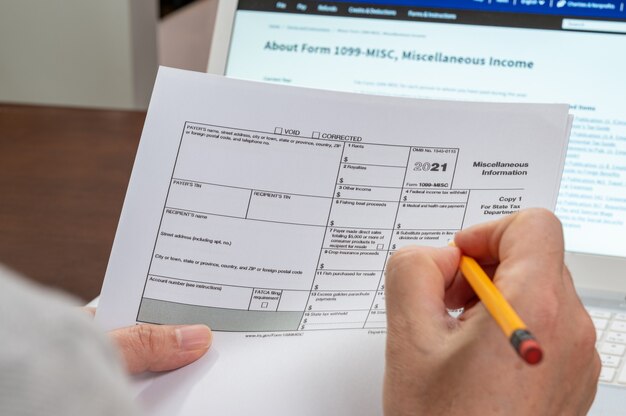
Every January, freelancers and independent contractors face the task of ensuring they've received—and correctly filed—the necessary tax forms. One critical document at the heart of this process is the 1099-NEC, formerly a part of the well-known 1099-MISC. Whether you're a contractor receiving the form or a business issuing it, understanding the nuances of 1099-NEC filing is essential. This guide dives into every aspect of the 1099-NEC process to simplify your tax season.
📄 Understanding the 1099-NEC Form
The 1099-NEC (Nonemployee Compensation) is an IRS tax form used to report payments made to non-employees, such as independent contractors, freelancers, and other service providers. If a business pays $600 or more to a non-employee in a single tax year, they must issue a 1099-NEC.
Key Sections of the 1099-NEC
- Payer’s Information: This section includes the name, address, and taxpayer identification number (TIN) of the payer.
- Recipient’s Information: Here, the contractor’s name, address, and TIN are listed.
- Box 1 - Nonemployee Compensation: This is where total compensation for services rendered by the contractor is recorded.
💼 Who Needs to File a 1099-NEC?
If you’re a business (including partnerships, corporations, sole proprietors) paying freelancers or independent contractors, understanding your responsibilities around filing the 1099-NEC is crucial. It ensures compliance and helps avoid IRS penalties.
Criteria for Filing
- Payments Over $600: You need to file if your total payments to a contractor for the year are $600 or more.
- Non-Employee Status: The form is applicable for payments made to non-employees. Salaried or hourly employees are exempt, as their income is reported via a W-2 form.
- For Services Rendered: Only payments for services—not products—are filed on a 1099-NEC.
📆 Important Deadlines
When it comes to filing taxes, timing is everything. Missing deadlines can result in fines, so knowing when to file the 1099-NEC is crucial.
- Issuance to Recipient: 1099-NEC forms must be provided to recipients by January 31st.
- Submission to the IRS: They must also be filed with the IRS by January 31st. If this date falls on a weekend, the deadline shifts to the next business day.
🗂️ Steps to File a 1099-NEC with the IRS
Filing a 1099-NEC involves several steps to ensure compliance. Keeping detailed records throughout the year will make this process straightforward.
Step 1: Gather Information
Collect Details: Ensure you have accurate information for both the payer and the recipient. You will need:
- Complete name and address
- TIN of both parties
Record Payment Details: Keep a detailed log of all payments made to each contractor.
Step 2: Complete the Form
Fill Out the 1099-NEC: Using the information gathered, fill out boxes on the form accurately. Pay special attention to Box 1 (Nonemployee Compensation), as errors here can trigger audits.
Review and Verify: Double-check all entries for accuracy, ensuring there are no discrepancies between the payer and payee information.
Step 3: Send the Forms
Distribute Copies: Send Copy B of the 1099-NEC to the contractor by the deadline to ensure they have it for their records.
File with the IRS: Submit Copy A to the IRS. You can choose between electronic filing using the IRS e-file system or mailing physical copies.
🌐 Electronic vs. Paper Filing
Electronic Filing:
- Benefits: Faster process and receipt confirmation from the IRS.
- Requirements: Most businesses with over 250 forms are required to e-file, though smaller businesses are encouraged to do the same for efficiency.
Paper Filing:
- Approach: If you choose this route, ensure timely mailing to the correct IRS address.
- Demands: Requires a separate Form 1096 cover sheet, accompanying the mailed forms.
🔍 Common Mistakes and How to Avoid Them
Even simple errors can lead to complications with the IRS. Highlighting common mistakes can prevent future problems.
Typical Errors
- Incorrect TINs: Ensure the TINs match what the IRS has on record for both the payer and payee.
- Wrong Amounts: Meticulously maintain payment records to avoid reporting incorrect totals.
- Misspelled Names/Addresses: Double-check for typos and incorrect formats, especially when entering data manually.
Prevention Tips
- Use Software: Consider using accounting software to mitigate manual entry errors.
- Pre-Filing Review: Have someone independently verify all the information before submission.
- Deadline Reminders: Utilize calendar alerts to keep track of deadlines.
📋 Summary Table for Easy Reference
| Task | Details | Deadline |
|---|---|---|
| Collect Information | Payer’s & Payee’s name, address, TIN, payment records | Year-round |
| Fill Out 1099-NEC | Ensure accuracy in all fields, especially Box 1 | Before January 31st |
| Send to Recipient | Distribute Copy B to contractors | By January 31st |
| File with IRS | Via e-file or mail Copy A, accompanied by Form 1096 if paper-filing | By January 31st |
💡 Final Thoughts on the 1099-NEC Process
Understanding and correctly filing the 1099-NEC is vital for both businesses and independent contractors. The key to mastering this process is organization and attention to detail. By maintaining accurate records, verifying information, and meeting deadlines, you can ensure compliance and minimize the risk of IRS penalties. Embrace these steps and tips for a smoother, stress-free tax season, empowering you to focus on what truly matters—running and growing your business.
Discover More
- a 1099
- Can 1099 Employees Get Unemployment
- Can 1099 Get Unemployment
- Can a 1099 Employee Collect Unemployment
- Can a Full Time Position Be Ic 1099
- Can An Individual Issue a 1099 To Another Individual
- Can I 1099 Myself From My Llc
- Can I File a 1099 b On My Bank Deposits
- Can You 1099 Someone You Paid Cash
- Can You File a 1099 On Turbotax For Free