Unlocking Simplicity: How to Change Your Bank of America Debit Card PIN
In the fast-paced world of digital banking, managing your financial security efficiently is crucial. If you’re looking to change your Bank of America debit card PIN, whether for security reasons or because you’ve forgotten it, this comprehensive guide will provide you with all the necessary steps, related insights, and important considerations. Ensuring your financial safety and convenience is just a few clicks or calls away.
Why You Might Need to Change Your Bank of America Debit Card PIN
Changing your debit card PIN is a straightforward yet critical task that can enhance your financial security. There are several reasons why you might want to update your PIN:
Forgotten PIN: With multiple passwords and PINs in our digital lives, forgetting one is common and understandable.
Security Concerns: If you suspect unauthorized use or have lost your card, updating your PIN is a smart strategy to protect your funds.
Routine Change for Security Enhancement: Regularly changing your PIN can minimize the risk of fraud.
Understanding why you need to change your PIN is the first step in managing your financial security effectively.
Steps to Change Your Bank of America Debit Card PIN
Step 1: Understanding Your Options
Before diving into the specific methods available, it’s essential to know your options. Bank of America offers several convenient ways to change your debit card PIN:
- Through Online Banking
- Using Bank of America Mobile Banking App
- At an ATM
- By Phone
- Visiting a Local Branch
Each method has its benefits, allowing you to choose based on your preference and availability.
Step 2: Changing Your PIN Online
For those who prefer dealing with everything online, here’s how you can change your PIN through Bank of America’s secure online platform:
Log into Your Account: Go to the Bank of America official website and log into your online banking account.
Navigate to Services: Once logged in, find ‘Manage Debit Card’ or a similar option in the account services section.
Select Change PIN: Follow the prompts regarding PIN services to change your debit card PIN.
Confirm the Change: Follow any additional instructions to confirm your new PIN and ensure it is updated.
Step 3: Using the Mobile Banking App
The Bank of America Mobile Banking app provides another convenient route for changing your PIN:
Open the App: Ensure the app is updated to the latest version for security purposes.
Log in and Navigate: Utilize Facet ID or your credentials to log in, then find the ‘Manage Debit Card’ settings.
Initiate PIN Change: Follow the steps provided to update your PIN.
Confirm the PIN: You may be asked to verify your identity with a One-Time Passcode (OTP) sent to your registered phone or email.
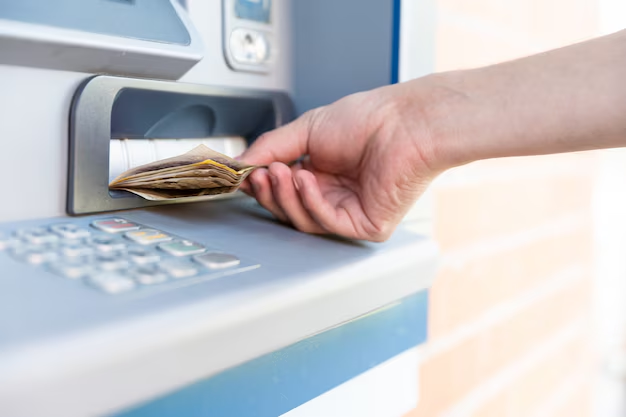
Step 4: Changing the PIN at an ATM
Using an ATM to change your PIN is a classic and straightforward method:
Insert Your Debit Card: Use your Bank of America debit card at a local Bank of America ATM.
Enter Current PIN: After inserting your card, input your existing PIN.
Select Change PIN Option: Navigate through the ATM screen options to find the PIN change service.
Confirm New PIN: Choose a new PIN and reconfirm as prompted.
Step 5: By Phone
For those who prefer phone assistance:
Call Customer Service: Use the customer service number found on your card or Bank of America's website.
Verify Identity: Be prepared to answer security questions or provide specific account details to verify your identity.
Request PIN Change: Follow the representative's instructions to change your PIN securely.
Step 6: Changing PIN in Person
If you prefer face-to-face assistance, visiting a local branch can be the most personal option:
Visit Branch: Go to your nearest Bank of America location.
Present Identification: Provide a valid ID to assist the bank personnel in accessing your account information securely.
Request Assistance: An associate will help you through the process of changing your debit card PIN while ensuring your data is protected.
Helpful Tips for Creating a Strong and Memorable PIN
Creating a strong and secure PIN is as important as changing it regularly. Below are some strategies to help you create an effective PIN:
- Avoid Common Numbers: Refrain from using easily predictable numbers such as birth dates or sequences like 1234.
- Use Random Combinations: Select a unique combination of numbers.
- Rememberability: Use numbers that are personally significant but not easily guessed.
- Regular Updates: Change your PIN regularly for added security.
📝 Quick Reference Guide: Change Your Bank of America Debit Card PIN
For a concise guide, refer to the following summary points:
- 💻 Online: Use Bank of America’s website to change your PIN under ‘Manage Debit Card’.
- 📱 Mobile App: Update your PIN directly through the bank's secure app.
- 🏧 ATM: Local Bank of America ATMs offer the option to change your PIN onsite.
- 📞 By Phone: Customer service is available for a PIN change upon identity verification.
- 🏢 In-Person at Branch: Visit a branch for personalized assistance.
Changing your Bank of America debit card PIN ensures your account remains secure while giving you flexibility and control. By understanding your options and following these strategic steps, you can seamlessly manage your financial safety. Maintaining robust security habits around your PIN, such as avoiding common numbers and regular updates, further fortifies your financial integrity. Whether updating your PIN online, by phone, or in person, knowing the best practices is key to safeguarding your funds in today’s digital-first banking environment. Your financial journey just became a lot more secure with these simple steps.
Discover More
- a Bank Of America Atm
- a Que Hora Cierran Bank Of America
- Are Bank Of America Atms Open 24/7
- Are Bank Of America Points Good
- Are Bank Of America Points Transferable
- Cómo Llamar Servicio Al Cliente Bank Of America En EspaÃ+/-ol
- Can Bank Of America Cash Checks
- Can Bank Of America Exchange Currency
- Can I Cash a Check At Bank Of America
- Can I Exchange Currency At Bank Of America