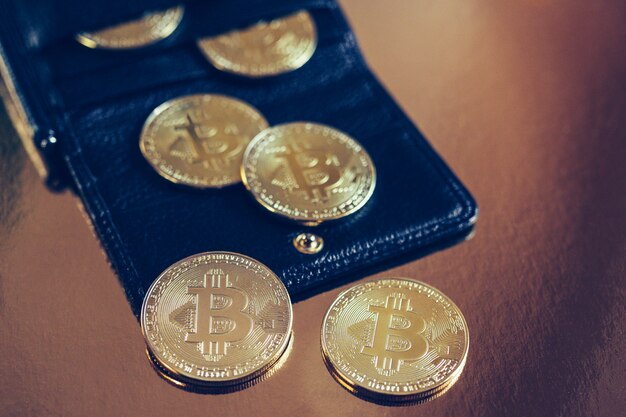
Your Complete Guide to Securing a Bitcoin Wallet
In today’s rapidly evolving digital world, Bitcoin stands as a revolutionary component, redefining how we perceive money. However, stepping into the Bitcoin universe requires some preparatory steps, one of the most crucial being acquiring a Bitcoin wallet. This pivotal tool is your gateway to safely store and transact with Bitcoin. If the concept seems a bit daunting, don't worry—you're in the right place. This guide will arm you with all the knowledge you need to confidently obtain and use a Bitcoin wallet.
Understanding Bitcoin Wallets: The Basics
Before venturing into acquiring a Bitcoin wallet, it's essential to grasp what a Bitcoin wallet is. A Bitcoin wallet is a digital tool equivalent to a physical wallet but designed for cryptocurrencies. It doesn't store Bitcoin in the same way a conventional wallet might hold cash. Instead, it stores two vital types of information—your private and public keys. The public key functions like an account number; it's what you share to receive Bitcoin. Conversely, the private key, which must remain confidential, works like your bank password, granting access to send Bitcoin from your wallet.
Different Types of Bitcoin Wallets
Software Wallets: These wallets are applications that can be installed on a computer or mobile device. They are further divided into:
- Mobile Wallets: Designed for smartphone usage, offering the convenience to transact Bitcoin anywhere.
- Desktop Wallets: Installed on your computer and often come with robust security features.
Hardware Wallets: Physical devices designed to securely store your Bitcoin offline, often resembling USB sticks.
Paper Wallets: A printed sheet containing your keys, allowing you to store Bitcoin offline securely.
Web Wallets: Online services that host your Bitcoin, allowing easy access from anywhere with internet access.
How to Choose the Right Wallet for You
Consider Your Priorities and Use Case
The type of wallet best suited depends heavily on what you value most:
- Security: If security is your priority, hardware wallets or paper wallets offer the best protection against online threats.
- Convenience: Web wallets and mobile wallets enable easy access and quick transactions.
- Control: For complete control over your Bitcoin, opt for a wallet type that allows you to hold and manage your private keys.
Evaluating Security Features
- Two-Factor Authentication (2FA): Enhances security by requiring a second verification factor.
- Backup and Recovery Options: Ensure your wallet provides straightforward ways to back up your private keys and restore them if needed.
- Multi-Signature Support: Requires multiple keys to approve a transaction, adding an extra layer of security.
Setting Up Your Bitcoin Wallet
Step 1: Choosing a Wallet Provider
Research and select a wallet provider based on your needs. Many reputable companies offer user-friendly software and hardware wallets. Avoid unknown providers as they may pose security risks.
Step 2: Downloading or Purchasing Your Wallet
- For Software Wallets: Visit the provider’s official website or app store to download their wallet application.
- For Hardware Wallets: Purchase through official channels or authorized retailers to avoid counterfeit products.
Step 3: Installation and Setup
- Software Wallets: Follow guided instructions on the app or software to install. You may need to set a strong password.
- Hardware Wallets: These usually come with a set-up guide. Installation involves connecting to a computer and following on-screen instructions.
Step 4: Securing Your Private Keys
- Software Wallets: Note down your private keys securely offline. Do not store them on your computer or smartphone.
- Hardware Wallets: Often come with a seed phrase—a series of words that can restore your wallet. Write it down and store it in a safe place.
Using Your Bitcoin Wallet
Receiving Bitcoin
- Access the Public Key: Obtain the public key (or Bitcoin address) from your wallet.
- Share with Sender: Share this address with the person sending Bitcoin to you.
- Confirm Transaction: Monitor your wallet to confirm the receipt of Bitcoin.
Sending Bitcoin
- Enter Recipient's Address: Open your wallet and enter the recipient’s Bitcoin address.
- Specify Amount and Fees: Enter the amount of Bitcoin you wish to send and review any transaction fees.
- Authorize Transaction: Use your private key to authorize and send the Bitcoin securely.
Tips for Maintaining Wallet Security
- Regular Updates: Keep your wallet software up to date to incorporate the latest security patches.
- Phishing Awareness: Avoid clicking on suspicious links and be wary of phishing scams targeting your wallet credentials.
- Diverse Backups: Have multiple backup copies of your keys in secure, separate locations.
Summary: Key Takeaways for Securing Your Bitcoin Wallet
- 🔐 Choose Wisely: Select a wallet that fits your needs in terms of security, convenience, and control.
- 🔑 Protect Your Keys: Safeguard your private keys with strong backup measures.
- 🚫 Avoid Online Storage: Keep your keys offline to protect against cyber threats.
- 🔄 Stay Updated: Regularly update your wallet software for enhanced security.
By grasping the foundational elements of Bitcoin wallets and understanding the practical steps for setting one up, you are well on your way to becoming an informed participant in the cryptocurrency ecosystem. Your digital financial portfolio starts with that first online security step. Equip yourself wisely, and you will navigate the Bitcoin waters with confidence.