Navigating Money Orders: A Step-by-Step Guide to Filling Out a Money Order at Chase Bank
Handling finances can sometimes feel overwhelming, especially when it involves filling out official financial instruments like money orders. A money order is a secure payment method often used when cash or personal checks are not suitable. Whether you're new to using money orders or simply need a refresher, this guide is here to walk you through the process of obtaining and filling out a money order at Chase Bank with ease.
🏦 Why Choose a Money Order?
Money orders offer several advantages:
- Security: They are a safe alternative to cash for paying bills or making purchases.
- Guaranteed Funds: Unlike a personal check, a money order draws on funds you’ve already paid, ensuring the recipient that the payment will not bounce.
- Anonymity and Privacy: They can be used to keep your financial details private.
Understanding these benefits helps make the decision to use a money order more informed. Now, let's dive into the practical steps of obtaining and completing one at Chase Bank.
🌟 Getting Started: Obtaining a Money Order at Chase Bank
Before you can fill out a money order, you'll need to know how to get one. Here's a step-by-step process:
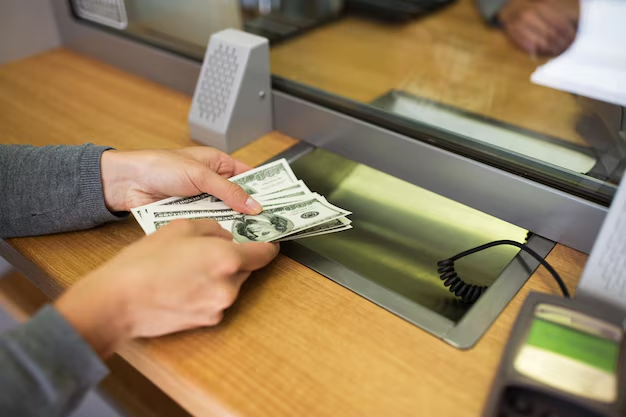
- Visit a Chase Branch: You need to physically go to a Chase Bank branch as money orders cannot be requested online or over the phone.
- Ask for Assistance: Speak with a teller and request a money order. It's a straightforward process, and the staff is usually helpful and knowledgeable.
- Provide Payment: Be prepared to pay for the money order upfront. You can use cash, a debit card, or withdraw directly from your Chase account. Note that money orders typically have a small service fee.
Understanding these logistical steps ensures that the process at the bank is smooth and efficient, thereby reducing the chances of needing to revisit the branch.
✍️ Filling Out a Money Order: Step-by-Step Instructions
Once you have your money order, it’s time to fill it out. Here’s how you can do it correctly:
Step 1: Payee Information
- Fill in the Recipient's Name: Write the name of the person or business you are paying. Ensure the name is spelled correctly as it is crucial for processing.
- Immediate Action: Do this right away, as leaving it blank can be risky.
Step 2: Purchaser's Details
- Your Information: Write your full name on the section dedicated to the purchaser or sender. This helps in tracking the money order if issues arise.
Step 3: Address
- Include Your Address: Some money orders ask for your address. It’s important for records and in case the recipient needs to contact you about the payment.
Step 4: Account or Invoice Number
- Include Relevant Numbers: If you’re using the money order for bill payment, be sure to write the account number or invoice number to ensure it’s applied correctly.
Step 5: Sign Your Name
- Signature for Completion: Sign the front of the money order where indicated. Remember, the recipient also needs to sign the back upon cashing or depositing.
Following these steps accurately helps prevent any processing errors or delays in payment.
🤔 Common Questions About Money Orders at Chase Bank
Let's tackle some frequently asked questions consumers have when dealing with money orders:
How Much Does a Money Order Cost at Chase?
Chase Bank typically charges a small fee for issuing money orders. It’s advisable to check with your local branch for the most current pricing, as fees can vary.
Can I Cancel a Money Order?
Yes, you can cancel a money order, but the process involves certain steps, such as filing a cancellation request and providing a receipt or proof of purchase. Remember, there may be a cancellation fee.
How Long Does it Take for a Money Order to Clear?
Money orders are generally processed quickly, often clearing within a few days. However, this can depend on the recipient's bank processing times.
🚀 Additional Tips for Using Money Orders
Feel confident as you navigate through money orders with these additional insights:
- 🗓️ Keep the Receipt: Always save the receipt until you confirm the money order has been received and processed by the recipient. It contains a tracking number useful for inquiries or cancellations.
- 🔍 Double-Check Details: Always double-check all information before leaving the counter to ensure the money order is completed accurately.
- 🤝 Discuss Alternatives: If a money order isn’t the ideal solution, discuss with a Chase banker about other secure payment options available.
📝 Practical Summary: Key Takeaways
Let's round up our discussion with concise, actionable takeaways:
- Visit and Ask: Go to a Chase branch and request a money order with the teller.
- Details First: Immediately fill in the payee and your own details on the money order.
- Write Clearly: Ensure all details, including names and numbers, are clear and correct.
- Keep Proof: Hold on to the receipt for tracking and potential cancellations.
By following these guiding steps and tips, managing financial transactions with money orders at Chase Bank becomes a seamless experience. Whether using them for personal or business purposes, understanding the intricacies of money orders ensures you remain informed and empowered in all your financial dealings.
Related Topics
- a Chase Bank Near Me
- Are Banks Open Today Chase
- Are Chase Banks Open Today
- Can Chase Bank Give Personal Loans
- Can Chase Bank Notarize Documents
- Can I Cash a Check At Chase Bank
- Can I Cash a Savings Bond At Chase Bank
- Can I Cash Savings Bonds At Chase Bank
- Can I Close a Chase Bank Account Online
- Can I Close My Chase Bank Account Online
