Simplifying the Process: How to Cancel Your Credit One Card
In a world where managing finances requires both vigilance and efficiency, it's not uncommon for consumers to reevaluate their credit card ownership periodically. Whether it's due to high fees, customer service issues, or simply finding a better deal elsewhere, there may come a time when you decide it's best to part ways with your Credit One card. This guide will walk you through the detailed process of canceling your Credit One card, ensuring you can approach the task with confidence and clarity.
📞 Know Before You Go: Considerations Prior to Canceling
Before you pick up the phone or log into your account to cancel your card, there are several factors to ponder that can help streamline the process.
Understand the Impact on Your Credit Score: Canceling a credit card can affect your credit utilization ratio and the average age of your credit accounts. Both factors contribute to your overall credit score. Consider if you need to adjust your strategy to balance out any potential negative impacts.
Redeem Rewards and Benefits: If your Credit One card offers any perks or cashback rewards, make sure to redeem them before initiating the cancellation. You wouldn't want to leave free benefits on the table.
Clear Outstanding Balances: Ensure that any outstanding balances on the card are paid off. While some may think they can cancel with a balance remaining, it's crucial to settle your debts to prevent future complications.
Review the Terms and Conditions: Taking a glance at your card's terms might remind you of obligations or fees associated with canceling. Sometimes there's a final statement or fee that can surprise you if you're not prepared.
📅 Steps to Effectively Cancel Your Credit One Card
Step 1: Pay Off Your Balance
Ensure your account balance is zero. This not only includes your current purchases but also any accrued interest or pending transactions. The simplest way to verify this is by logging into your Credit One account online.
Step 2: Redeem Rewards
Check if there are any unredeemed rewards or cashback that you can apply to your account or redeem in some other form. Once the account is closed, you might forfeit any remaining rewards.
Step 3: Contact Customer Service
To officially close your account, you will need to contact Credit One customer service. The contact number is generally available on the back of your card or through the company’s official website.
What to Expect When Calling
- Verification of Your Identity: Be prepared to verify your identity through personal information and your account details.
- Retention Offers: Customer service may offer incentives to keep your account active. Evaluate these offers against your reasons for canceling and decide accordingly.
- Confirmation of Cancellation: Request a formal confirmation number or written notice of the cancellation to keep for your records.
Step 4: Follow-Up with Written Confirmation (Optional)
For additional peace of mind, consider sending a written request for account closure. This document serves as a formal record of your request, protecting you in case of discrepancies.
Here's a Sample Format:
💳 Alternatives to Canceling
If canceling your card seems like a drastic move, there are alternative approaches to consider that can still address common cardholder concerns.
Product Upgrade or Downgrade: Depending on what you're seeking to change in your card benefits, an alternative card product offered by Credit One may better suit your needs.
Limit Usage Without Cancellation: Simply curbing the use of the card and maintaining it for emergencies can keep it active and positively contributing to your credit score without hindering your credit utilization.
Negotiate Fees or Terms: Reaching out to customer service to discuss concerns or grievances may lead to reduced fees or adjusted terms, providing you with the flexibility you seek without the need to cancel.
📝 The Aftermath of Cancelation
Once your Credit One card is successfully canceled, your responsibilities don't quite end there.
Monitor Your Credit Report: Keep an eye on your credit report to ensure the closed account is reported accurately, and there are no unauthorized charges lingering.
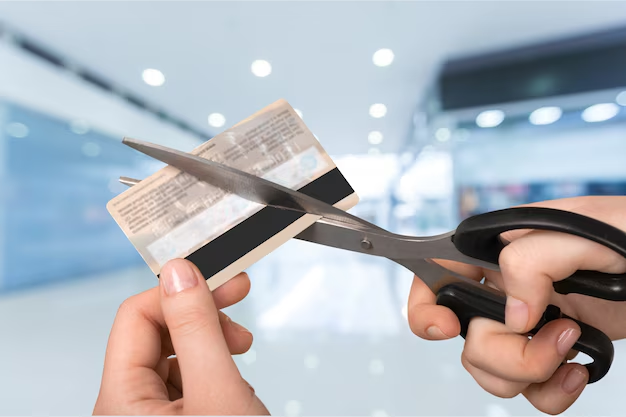
Destroy Your Card: Shred or cut up your plastic card to prevent any potential misuse.
Update Your Payment Information: If any of your recurring payments were tied to the Credit One card, update your billing information with a different credit card or payment method to avoid service interruptions.
🔍 Common Questions About Canceling Credit One Cards
Does canceling a card hurt my credit score?
While canceling a card can impact your credit score, it doesn’t always harm your score long-term. Weigh the trade-offs of potentially increased utilization or changes in average account age.
Is there a fee for canceling?
Credit One typically does not charge a fee for canceling a card, but checking your terms can confirm there's no surprise awaiting.
How soon will my account be closed?
Account closure can vary, but typically it will be processed within a billing cycle. Acquiring written confirmation ensures milestones are met.
Summary 📝
- Check your balance and pay it off.
- Redeem rewards before closing.
- Contact customer service to close the account.
- Record confirmation of cancellation for your records.
- Consider alternatives such as product changes or holding the card for emergencies.
- Post-cancellation: monitor your credit report and destroy your card.
Ending a relationship with a credit card provider is a decision that requires careful thought and planning. By following these steps, you're not only simplifying the process but also ensuring that you're in complete control of your financial health. Whether you’re driven by high fees or simply a need to streamline your financial products, knowing how to cancel your Credit One card efficiently places you in a stronger, more confident position.
Related Topics
- How Cold Does It Have To Be To Cancel School
- How To Activate Noise Cancellation On Airpods
- How To Activate Noise Cancellation On Jbltune 600
- How To Cancel 24 Fitness Membership
- How To Cancel 24 Hour Fitness Membership
- How To Cancel a Amazon Prime
- How To Cancel a Anytime Fitness Membership
- How To Cancel a Bank Account
- How To Cancel a Bid On Ebay
- How To Cancel a Bidding On Ebay
