Power Sharing: Exploring Battery Transfer Between iPhones
When your iPhone is low on battery and you’re desperate to keep connected, the idea of transferring battery power from another iPhone might seem like a dream. While direct battery transfer between iPhones isn't possible due to Apple's current hardware restrictions, there are still several creative solutions to managing power effectively across devices. This guide explores those options, offering practical advice and insights to ensure you're never stuck with a dead phone.
Understanding iPhone Battery Constraints
iPhone Battery Design
Apple designs the iPhone battery as an integral, non-removable component. This design maximizes space for other essential hardware and maintains a sleek form factor. However, it also means that direct battery swapping or sharing isn't an option in the way it might be with other electronic devices like certain laptops.
Wireless Charging Limitations
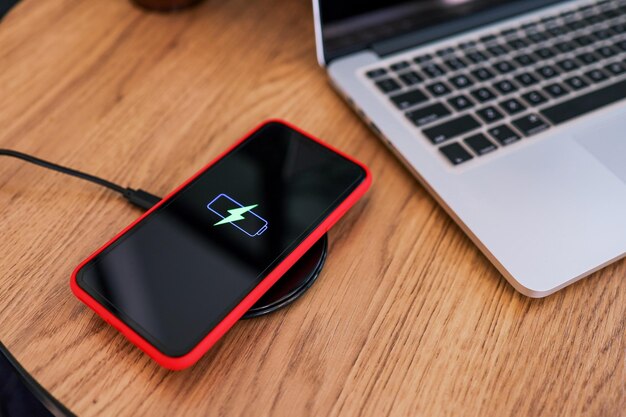
Wireless charging technology, particularly Apple's MagSafe, supports charging an iPhone without a cable but only from a power source, not another device. This technology revolutionized convenience but didn't extend to power sharing between iPhones.
Creative Solutions for Power Management
Using External Battery Packs
External battery packs remain the go-to solution for charging on the fly. Here’s how you can optimize their use:
- Choose the Right Size: Consider the Mah (milliamp-hour) rating. The higher it is, the more power you can transfer to your iPhone.
- Portable and Convenient: Some battery packs are as compact as a lipstick tube, fitting easily in your pocket for ease of carrying.
- Integrated Features: Look for packs with built-in cables or MagSafe compatibility to eliminate the need for carrying extra chargers.
Sharing Power Cordlessly with Wireless Power Banks
Wireless power banks have eliminated the need for cables:
- Aura of Convenience: Simply placing your phone on the power bank initiates charging.
- MagSafe Compatibility: Compatible iPhones can snap onto MagSafe power banks, which can even charge two devices simultaneously in some models.
Maximizing iPhone Battery Life
Before reaching for an external charger, you should explore options to make your existing battery last longer.
Energy-Saving Settings
- Low Power Mode: Activating this feature reduces background activity.
- Adjust Brightness: Lowering screen brightness or setting your phone to auto-brightness can conserve energy.
- App Refresh: Disable Background App Refresh for apps that don't require constant updating.
Hardware and Software Optimization
- Battery Health Monitoring: Keep tabs on your battery's health in the Settings to understand when it might be time to replace your battery.
- Regular Software Updates: Apple frequently releases updates that include battery performance optimizations; keep your device updated.
Innovative Tech: On the Horizon
While battery sharing directly from one iPhone to another isn't currently feasible, advancements in technology hint at promising futures:
Reverse Charging
Developments in reverse charging could one day feature iPhones as charging pads for other devices. It's already appeared in competing brands, suggesting it might eventually arrive in suites of Apple products.
Future iPhone Designs
Apple conducts extensive research on battery technology, potentially leading to a self-sustainable battery that can harvest energy or power nearby smaller devices.
Staying Ahead: Tech-savvy Tips and Tricks
Keeping your iPhone alive and functional can also depend on simple and effective practices:
Power Sharing Strategies
- Community Charging: In places like cafes or airports, carry a multi-port charger to share power with friends using a single outlet.
- Accessory Coordination: Use car chargers or workplace docking stations strategically for mid-day top-ups.
Resource Management
- Battery Usage Insights: Use built-in analytics to identify and manage apps that are draining your battery.
- Signal Strength Awareness: A weak cellular signal can increase battery usage, so try connecting to Wi-Fi where available.
Key Takeaways: Managing iPhone Power Effectively
Here’s a quick summary to keep your iPhone powered up and ready:
🔋 Invest in Portable Chargers: Always have a compact power source ready.
👨🔧 Optimize Phone Settings: Use Low Power Mode and monitor app refresh settings.
🔄 Consider Wireless Options: Utilize wireless power banks for effortless charging.
📈 Stay Updated: Keep your iPhone updated to benefit from software optimizations.
🧠 Think Creatively: Use collective charging solutions where options are limited.
Even if direct power sharing between iPhones isn’t a reality just yet, managing your device’s battery effectively ensures you stay powered and productive. By leveraging current technology creatively and preparing for future innovations, you'll have all the power solutions you need right at your fingertips.
Discover More
- How Can I Transfer Apps From Iphone To Ipad
- How Can I Transfer a Video From Iphone To Computer
- How Can I Transfer Bookmarks From One Computer To Another
- How Can I Transfer Contacts From Iphone To Iphone
- How Can I Transfer Contacts From One Iphone To Another
- How Can I Transfer Data From Iphone To Android
- How Can I Transfer Data From Iphone To Iphone
- How Can I Transfer Data From One Laptop To Another
- How Can I Transfer Files From Android To Pc
- How Can I Transfer Files From Pc To Pc