Mastering Key Fob Battery Replacement: Your Essential Guide
Have you ever found yourself in a parking lot, repeatedly pressing the buttons on your key fob, only to be met with silence? It's a frustrating experience many vehicle owners know all too well. However, replacing a key fob battery is a simple task that can save you from unnecessary stress and expenses. This guide is designed to walk you through each step of the process, providing you with the confidence to handle your key fob battery replacement efficiently.
Understanding Your Key Fob
What is a Key Fob?
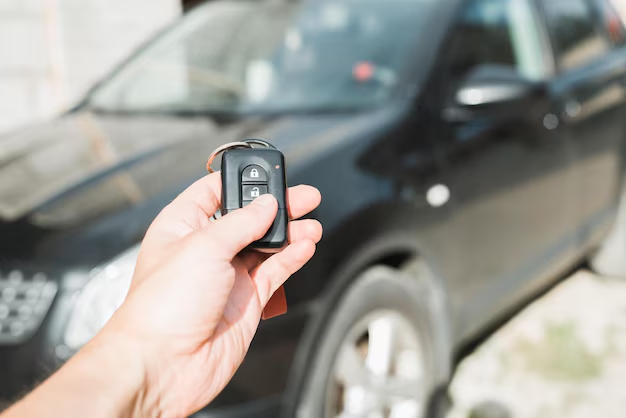
A key fob is a small electronic device used to control various functions in your vehicle, such as locking and unlocking the doors, starting the engine, or even controlling the car alarm. Over the years, key fobs have evolved from simple remote locking systems to advanced gadgets capable of executing multiple tasks. Given their frequent use, it's no surprise that these devices occasionally require a new battery.
How Do You Know When the Battery Needs Changing?
Recognizing the signs of a dying key fob battery can save you from inconvenient situations. Here are some common indicators:
- Reduced Range: If you notice a decrease in the effective range of your key fob, this is a telltale sign that the battery might be weakening.
- Intermittent Functioning: The buttons on your fob work inconsistently or require several presses to perform the intended action.
- Warning Light on Dash: Many modern vehicles have a dashboard warning for low key fob battery.
By understanding these symptoms, you can address the issue proactively, ensuring you’re never left stranded.
Preparing for the Battery Change
Identifying the Battery Type
The first step is to determine which battery type your key fob uses. Most fobs use small, round lithium batteries, which vary in size and specification. Here's how you can find out:
- Check the Manual: Vehicle manuals often list the key fob battery type and model number.
- Open the Fob: If you’re uncertain, carefully open the fob to identify the battery type. Be gentle, as mishandling could damage the electronic components.
It's a good practice to always have spare batteries on hand, ensuring you’re prepared for when the need arises.
Gathering Necessary Tools
Depending on the make and model of your key fob, different tools might be required. Generally, a small flathead screwdriver or a specialized fob opening tool will suffice. Having these tools at your disposal streamlines the battery replacement process, minimizing the risk of accidental damage.
Step-by-Step Guide to Changing Your Key Fob Battery
🛠️ Opening Your Key Fob
- Locate the Seam: Identify the seam where the two halves of the fob connect.
- Insert the Tool: Using your flathead screwdriver, gently insert it into the seam.
- Pry Open Carefully: Twist the tool slightly to separate the halves. Apply minimal force to avoid breaking the casing.
🔋 Replacing the Battery
- Remove the Old Battery: Once opened, gently remove the battery, noting its orientation (positive and negative sides).
- Insert the New Battery: Place the new battery in the same orientation. Avoid touching the battery terminals with your fingers as skin oils can affect connectivity.
🧩 Reassembling the Key Fob
- Align the Halves: Ensure the buttons are aligned correctly with their corresponding slots.
- Snap Together: Press the halves together until they click back into place. Ensure a snug fit without any gaps.
🔑 Testing the New Battery
After reassembling, test the key fob to ensure it functions correctly. Check the range and response of each button to confirm successful battery replacement.
Common Challenges and Troubleshooting
Why Isn’t My Key Fob Working After Battery Replacement?
If your key fob doesn't work after replacing the battery, consider the following solutions:
- Recheck Battery Orientation: Make sure the battery is installed correctly.
- Inspect for Dirt or Debris: Examine the compartment for any obstructions that may impact connectivity.
- Ensure Proper Alignment: Check that all components are seated properly within the fob.
When Should You Seek Professional Help?
If issues persist, or if you're uncertain about performing the replacement, it may be wise to consult a professional. Automotive technicians can diagnose and resolve complex electronic issues efficiently, ensuring your key fob operates smoothly.
Beyond the Key Fob: Maintaining Your Vehicle’s Electronics
Importance of Regular Maintenance
Regular maintenance of your vehicle's electronic systems can prevent many common issues. This includes keeping contacts clean and ensuring all electronic devices are functioning optimally.
Embracing New Technology
As technology advances, key fobs continue to evolve. Familiarize yourself with any new features your vehicle may have, as modern fobs might integrate with smartphone apps or offer enhanced security features.
Key Takeaways & Tips for Key Fob Battery Replacement
Here’s a handy summary of essential points to remember:
- 🔋 Battery Type Matters: Know your key fob’s specific battery type for efficient replacements.
- 🛠️ Tools Ready: Keep tools like a small flathead screwdriver handy for quick and safe opening.
- 🧩 Handle with Care: Always be gentle to prevent damaging your fob during handling.
- 🔄 Check Functions Post-Change: Ensure full functionality and range after replacing the battery.
- 👨🔧 Professional Help for Complex Issues: Don't hesitate to seek expert assistance if difficulties persist.
Being informed and prepared for a key fob battery replacement not only saves time but also empowers you to address the issue effectively, enhancing your vehicle maintenance skills. With this guide at your disposal, you’re equipped to handle fob battery changes with confidence, ensuring peace of mind whenever you hit the road.
Related Topics
- How Can I Change Text Message To Imessage
- How Can You Change a Jpeg To a Pdf
- How Do I Change a Jpeg To a Pdf
- How Do I Change a Pdf To a Jpg
- How Do I Change a Pdf To a Word Document
- How Do I Change a Repeating Decimal To a Fraction
- How Do I Change a Text Message To An Imessage
- How Do I Change From Text To Imessage
- How Do I Change Lowercase To Uppercase In Word
- How Do I Change My Political Party To Independent
