How to Update the Address on Your Driver's License: A Complete Guide
Moving to a new home is an exciting chapter in life, filled with the thrill of new beginnings. But amidst the flurry of packing and settling in, there's a crucial task that often slips the mind: updating your driver's license with your new address. While it might seem like a minor detail, keeping your driver's license information current is essential for legal and logistical reasons. With this guide, you'll navigate the process of changing your address on your license smoothly and efficiently.
🏠 Why Is Updating Your Driver's License Address Important?
Legal Compliance: Most jurisdictions require drivers to update their license with any changes of address within a specified timeframe. Failing to do so could result in fines or other penalties during a roadside check.
Identity Verification: Your driver’s license is often used as a primary form of identification. An incorrect address can lead to complications when verifying your identity for banking, insurance, and travel purposes.
Communication: Authorities and certain services may rely on the address on your driver's license to send important notices. Missing these could lead to unwanted consequences, such as lapsing insurance or missing court summons.
📑 Understanding the General Process
The process to change your address on your driver's license varies slightly depending on where you live, but generally, it involves:
Checking the Timeframe: Most states or countries have a specific period, ranging from 10 to 60 days, within which you need to update your driver's license after moving.
Gathering Required Documents: Typically, you'll need proof of your new address, such as a utility bill, lease agreement, or bank statement, along with your current driver's license.
Submitting the Change Request: You may do this online, via mail, or in-person at your local Department of Motor Vehicles (DMV) or equivalent authority.
Paying Applicable Fees: Some jurisdictions may charge a nominal fee for updating your license, especially if a new physical card is issued.
🌐 Navigating Online Updates
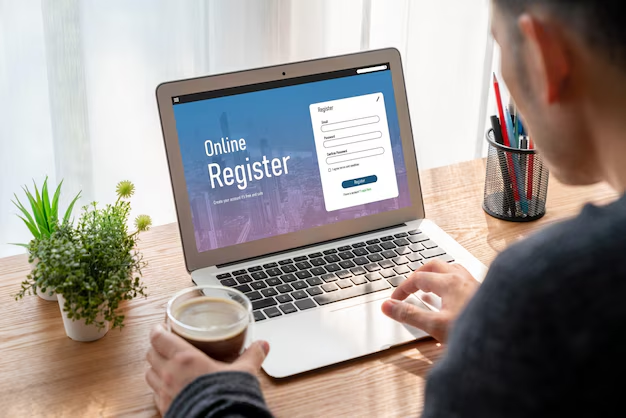
Updating your address online can be the most convenient option for many. Here's a step-by-step guide:
Check Availability
- Visit the Official Website: Go to your local DMV website to see if online updates are available.
- Eligibility Requirements: Ensure you're eligible for an online update, as some conditions may require an in-person visit.
Prepare Needed Information
- Driver’s License Number: Have your current driver’s license handy to enter necessary details.
- SSN/Tax Identification: Some jurisdictions may require partial or full social security or tax identification numbers for verification.
Complete the Form
- Input New Address: Enter your new address exactly as it appears on your proof of residence documents.
- Review for Mistakes: Carefully check that all information is accurate to avoid delays or errors.
Submit and Pay
- Submit: Complete the process by submitting your request.
- Processing Fee: Pay any required fees using the available payment methods.
🏢 The In-Person Approach
For those who prefer handling matters face-to-face, or if your jurisdiction requires it, visiting a local office is the way to go:
Find the Nearest Office
- Locate Your DMV: Use the online locator tool on the DMV website to find the nearest office.
- Check Office Hours: Confirm current operating hours and whether an appointment is needed.
Prepare Your Documents
- Valid ID: Bring your current driver’s license.
- Proof of Address: Carry a recent document reflecting your new address (e.g., utility bill or lease).
- Have Any Fees Ready: Prepare cash, check, or credit card, depending on accepted payments at the office.
Complete Your Visit
- Fill Out Form: You’ll complete a change of address form provided at the office.
- Submit and Confirm: Hand over your documents and form, then confirm all changes are processed.
📬 Understanding Mail-In Procedures
In some areas, changing your address via mail is an option:
Collect the Form
- Download or Request a Form: Obtain the change of address form from the DMV’s website or request one to be mailed to you.
Gather Required Documents
- Proof of Address: Include a copy of a document showing your new address.
- Driver’s License Copy: Sometimes a photocopy of your driver’s license is required.
Send Everything Off
- Include Payment: If there is a fee, include a check or money order.
- Use Certified Mail: Consider sending your packet via certified mail to ensure it arrives safely.
🔑 Key Details and Tips
Updating Vehicle Registration: Remember that updating your driver's license does not automatically update your vehicle registration. Check with your local DMV for details.
Notification of Insurance: Notify your insurance company of the address change to avoid issues with claims or coverage.
Voter Registration Update: Most states offer the option to update your voter registration at the same time as your driver’s license. Take advantage of this to ensure your voting information is current.
🌟 Quick Reference Summary
Here's a quick reference to navigate the essentials of updating your driver's license address:
| Step | Action | Tips/Key Points |
|---|---|---|
| 1 | Timeframe Check | Know your local DMV deadline for updates. |
| 2 | Document Collection | Gather proof of address and possibly a fee. |
| 3 | Online Submission | Fast and convenient, if available in your area. |
| 4 | In-Person Visit | Ideal for immediate verification. Bring all necessary documents. |
| 5 | Mail-In Option | Ensure all enclosures are correct and use certified mail. |
| 6 | Cross-Updates | Update related records, like voter registration and insurance. |
🔍 Pro Tip: Always double-check deadlines and requirements directly on your local DMV's website to avoid unpleasant surprises.
Updating the address on your driver's license is a crucial part of settling into your new home and ensuring all your official documents correctly represent you. By following the steps outlined in this guide, you'll maintain not only legal compliance but also peace of mind as you embark on your new adventure. Remember, a little preparation goes a long way in simplifying the process. Happy moving!
Related Topics
- How Can I Change Text Message To Imessage
- How Can You Change a Jpeg To a Pdf
- How Do I Change a Jpeg To a Pdf
- How Do I Change a Pdf To a Jpg
- How Do I Change a Pdf To a Word Document
- How Do I Change a Repeating Decimal To a Fraction
- How Do I Change a Text Message To An Imessage
- How Do I Change From Text To Imessage
- How Do I Change Lowercase To Uppercase In Word
- How Do I Change My Political Party To Independent
